
AMCap Shareware
AMCap is a still and video capture application with advanced preview and recording features. It is a desktop application designed for computers running Windows 10 or later. Most Video-for-Windows and DirectShow-compatible devices are supported whether they are cheap webcams or advanced video capture cards.
AMCap is used in fields as diverse as medicine (hospitals, clinics, dental offices), industry (PCB manufacturing, aerospace), research and education (laboratories and universities), and justice (police departments, courts). It is also widely employed as a viewer for various optical devices such as webcams, microscopes, and endoscopes, among many other specialized applications.
This program runs on Windows. Open this page on a Windows computer to download it.
Version 9.23 - 14.3 MB
The download is a free trial version with some limitations. See the Terms of Service for details.
Key Features
- Flexible Video Capture & Recording
AMCap lets you preview and record from a wide range of sources, including DV devices and MPEG-2 capture cards. It also supports optional real-time compression using any installed compressor, and can save recordings to AVI, WMV, or MP4 depending on the selected format. Settings such as color space, output size, and video standard persist between sessions so you can pick up right where you left off. - Advanced Tuner & Audio Controls
The application features improved analog tuner support for both TV and radio broadcasting, making it more versatile with legacy capture hardware. Built-in volume control provides convenient audio adjustment directly within the interface. - Powerful Still Capture Options
You can capture still images instantly with a keyboard shortcut or compatible hardware trigger, or automate the process using periodic snapshots. AMCap also includesstillcap.exe, a dedicated console tool that makes scripted or scheduled still captures easy from command-line workflows. - Customizable Preview & On-Screen Tools
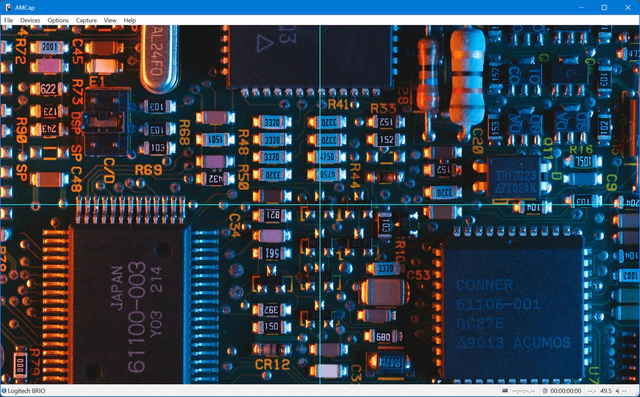
Previewing is highly flexible with support for full screen mode and an optional touch-friendly AppBar. AMCap provides a configurable crosshair, customizable On-Screen Display (OSD) elements, and even experimental text enhancement features aimed at users with low vision. You can also add still or video overlays for branding, templates, or creative purposes. - Rendering, Processing & Display Enhancements
You can choose the video renderer that best suits your needs—Video Renderer, VMR7, VMR9, or EVR—and benefit from hardware-accelerated deinterlacing when available. The preview mode also includes aspect-ratio control, digital zoom, and live video rotation. Interface elements such as captions and bars can be hidden to leave only the video visible, and anAlways On Topmode keeps the preview above other windows.